
01 / Inventory management
Real-time inventory control, built for the handheld.
Search stock, print barcode labels, capture item weight and manage bin locations from the same device your team already carries. No PC, no separate inventory database.
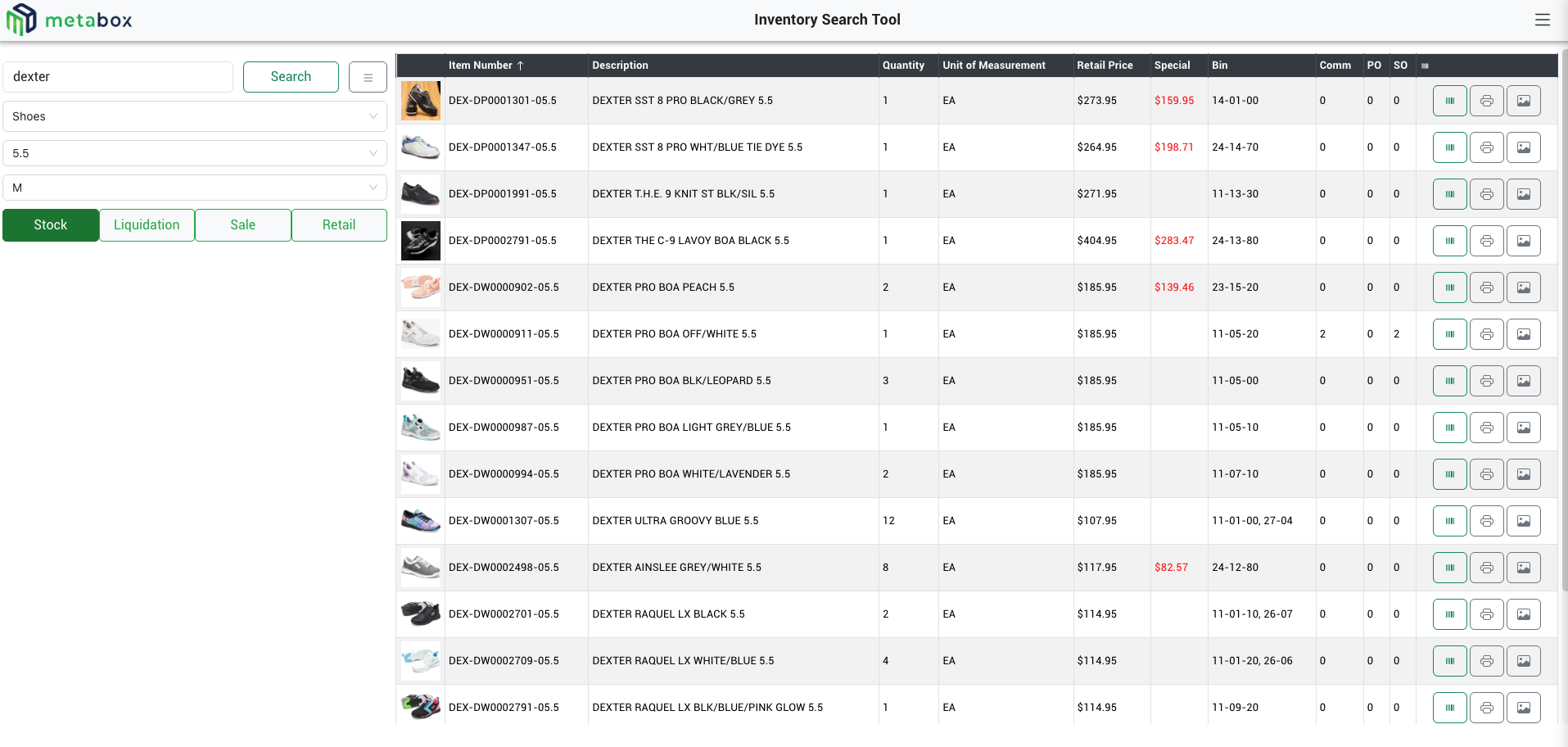
Know where stock is, from any device on the floor.
Live inventory search
Quantity, unit of measure and pricing, plus committed, on-PO and on-SO netting and bin location, all in one view.
Barcode label generation
Generate UPC labels for items pulled from PO, PO Receipt, Return Authorization or Order Entry, so nothing slips through without a barcode.
Item weight capture
Weigh items on a handheld-connected scale on the floor. That weight feeds rate-shopping accuracy in Metabox Shipments.
Item photos
Product photos appear inline in Search, POS and Orders, so staff can visually confirm the right item.
Bin location management
Scan-driven quick entry for fast relocation, plus a full admin view to add, edit or delete locations.
Stock vs Overstock
Distinguish an item’s primary pick location from overflow storage, per location, so picking always starts from the right bin.
Step by step.
Scan item
Quick Entry Location: scan the item barcode.
Scan location
Scan the bin barcode to assign it, then repeat.
Or manage manually
Use Location Management to add, edit or delete bins by item search.
Flag overstock
Mark overflow locations so picking defaults to the primary bin.
One weight capture, two payoffs
Weight Updater removes the need for a desktop inside Sage 300 just to record a weight — a clerk can weigh and update on the floor. That same weight is what Shipments relies on for rate shopping.
Standalone-capable
Runs on its own, or powers Metabox Orders and Metabox POS. No forced dependency either way.
Ready to see it on your floor?
Talk to us about which modules fit your operation.